 Decomp Buddy
Native PC ports of your old games, set up for you.
The decomp and recomp scene turns console games into real programs that run on your computer. Every project has its own README, its own folder rules, its own idea of where your disc goes. Decomp Buddy reads all of that, checks that the dump you own is the one the project wants, and hands you a folder that just plays.
You bring your own games. Decomp Buddy never downloads a ROM or disc image - it verifies the ones you already have.
How it works
1. Pick games
Browse 300+ projects merged from the decomp catalogs, or paste GitHub links. Grouped by console, with box art, versions and what platforms each one builds for.
2. Read the repo
Your own AI key (Claude, OpenAI, Gemini, Groq, a local Ollama...) reads each project's docs and works out the build to fetch, the files it needs, and where they go.
3. Choose your files
Point it at your dump - an ISO, a ROM, a .cue, even a zip or 7z. It's identified, verified against what the project asks for, converted if needed, and moved into place.
4. Play
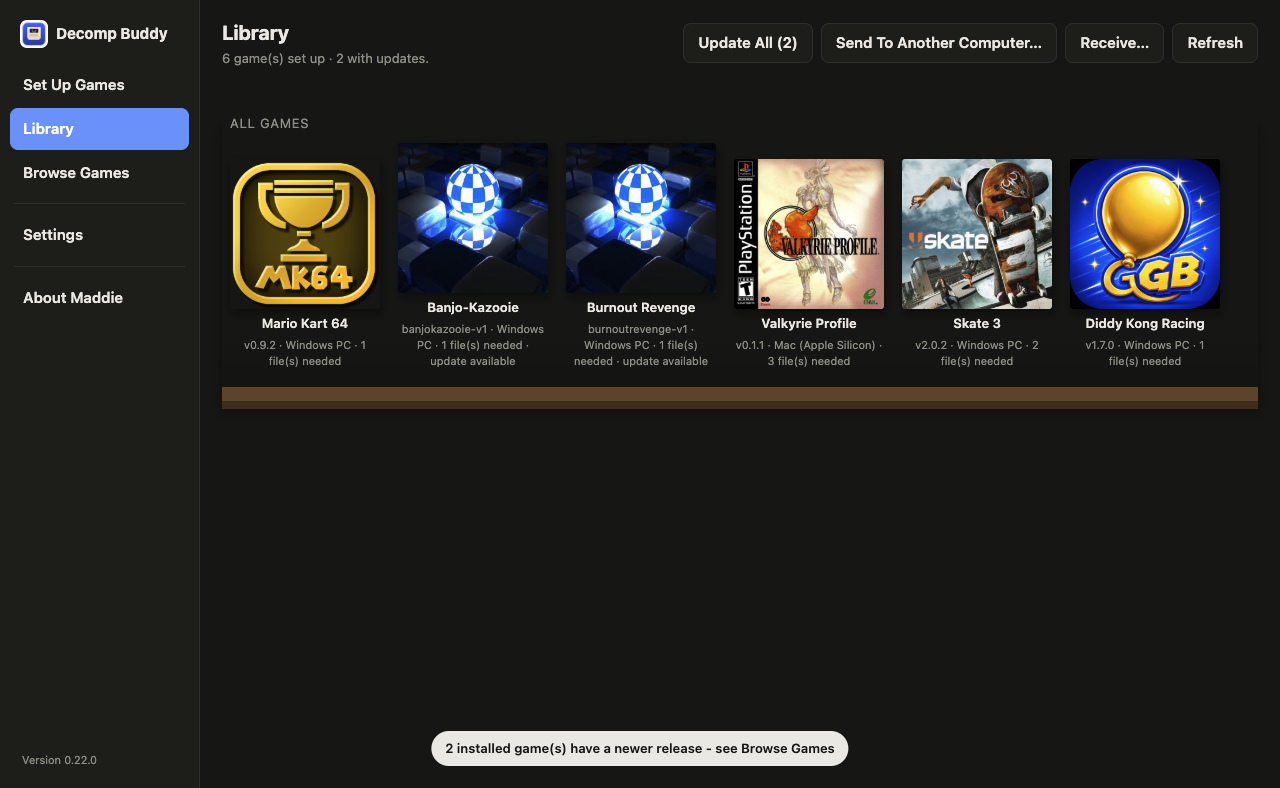
A folder per game with the build, your files, a checklist page, and box-art folder icons. Play it from the Library, add it to Steam, or send it to your gaming PC over the LAN.
Honest by design
Verification you can trust
Published hashes are copied from the repo, never invented. Console headers are read for region and version. BIOS files are checked against emulator-documented sums. Mismatches warn; nothing gets a fake green tick.
Nothing leaves your computer
Your API key is encrypted on disk and only ever sent to the provider you chose. No account, no telemetry, no ads. The app's own updates come from a signed feed.
Every download checked
Release downloads are hashed against GitHub's own checksums as they stream in. Wrong bytes are deleted and reported, not installed.